



How to Schedule Instagram Posts and Reels: 5 Instagram Scheduler Tools
Instagram content requires consistent publishing, especially when you regularly post Reels and feed content. Manually …
This article explains how to use Facebook Reels downloader to save colorful videos on Facebook. It introduces various downloading methods, including online tools, professional software, and mobile apps, to help users easily download and share Reels videos.

Get an AI-Powered Summary of This Article
With over 20 billion monthly active users, Facebook remains one of the most popular social media platforms worldwide. Following the trend of short video features similar to TikTok, Facebook Reels has been launched, allowing users to quickly use the Facebook Reels downloader to save videos on Facebook. Whether you are a content creator, a marketer, or just want to save colorful videos, there are many valuable Facebook Reels download tools available.

Facebook has not yet provided a native option for downloading Reels, which is why third-party Facebook video download tools have become essential. They can offer the following benefits:
For users who need to download Facebook videos occasionally, you can try these free Facebook Reels downloader websites:
greenvideo.cc dlpanda.com SaveFrom.net
Steps to Operate:
✅ Pros: No installation required
❌ Cons: Video quality may vary, some downloaders may limit the number of downloads.
For professional creators, having a dedicated tool for downloading Facebook Reels is essential. Users can try the following software:
4K Video Downloader
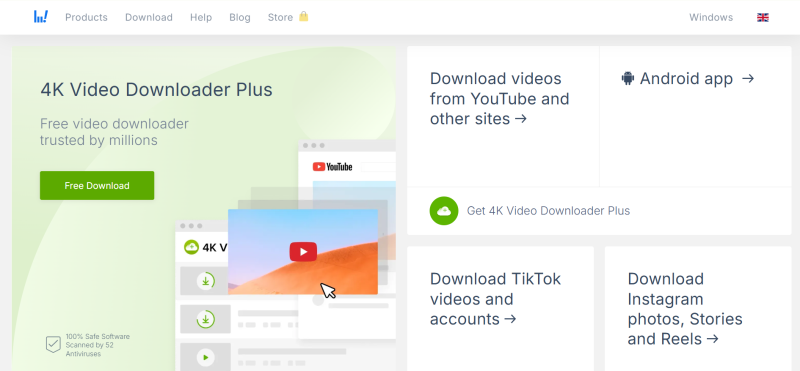
Jihosoft 4K Video Downloader
Offers a free trial version, especially suitable for users in China to download videos:
All Video Downloader
VidMate (Android)
Specifically designed for Android users to download videos:
Q: How to improve video quality after downloading?
You can try selecting the "HD" quality option or use a 4K Downloader and other professional tools.
Q: Why can’t I download suddenly?
It may be due to IP restrictions; suggestions include:
Q: How to remove watermarks from downloaded videos?
It is recommended to use editing tools like CapCut or InShot, but be aware of copyright issues.
Instagram content requires consistent publishing, especially when you regularly post Reels and feed content. Manually …
WhatsApp Web is WhatsApp’s web-based service that lets you use WhatsApp directly from a computer browser without …

As the number of live streaming accounts and rooms grows, managing devices, network environments, and streaming content …
No need to purchase multiple real phones.
With DuoPlus, one person can operate numerous cloud phones and social media accounts from a single computer, driving traffic and boosting sales for you.
